Choose fonts
in one app
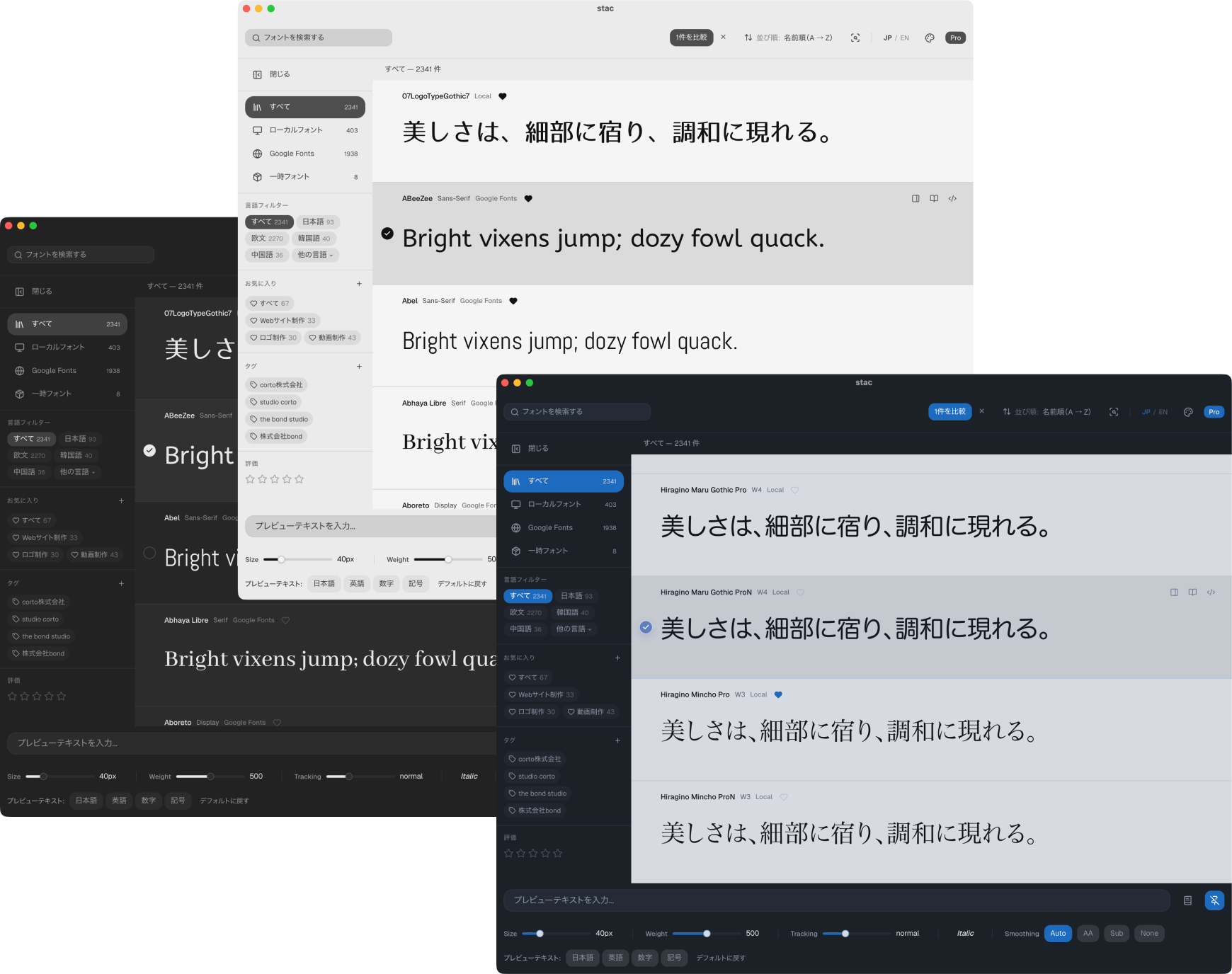
stac brings together the fonts already on your Mac, Google Fonts, and font files you downloaded but have not installed yet, so you can preview, compare, and narrow down your choices in one place.

About stac
stac is a Mac app for choosing, comparing, and organizing fonts.
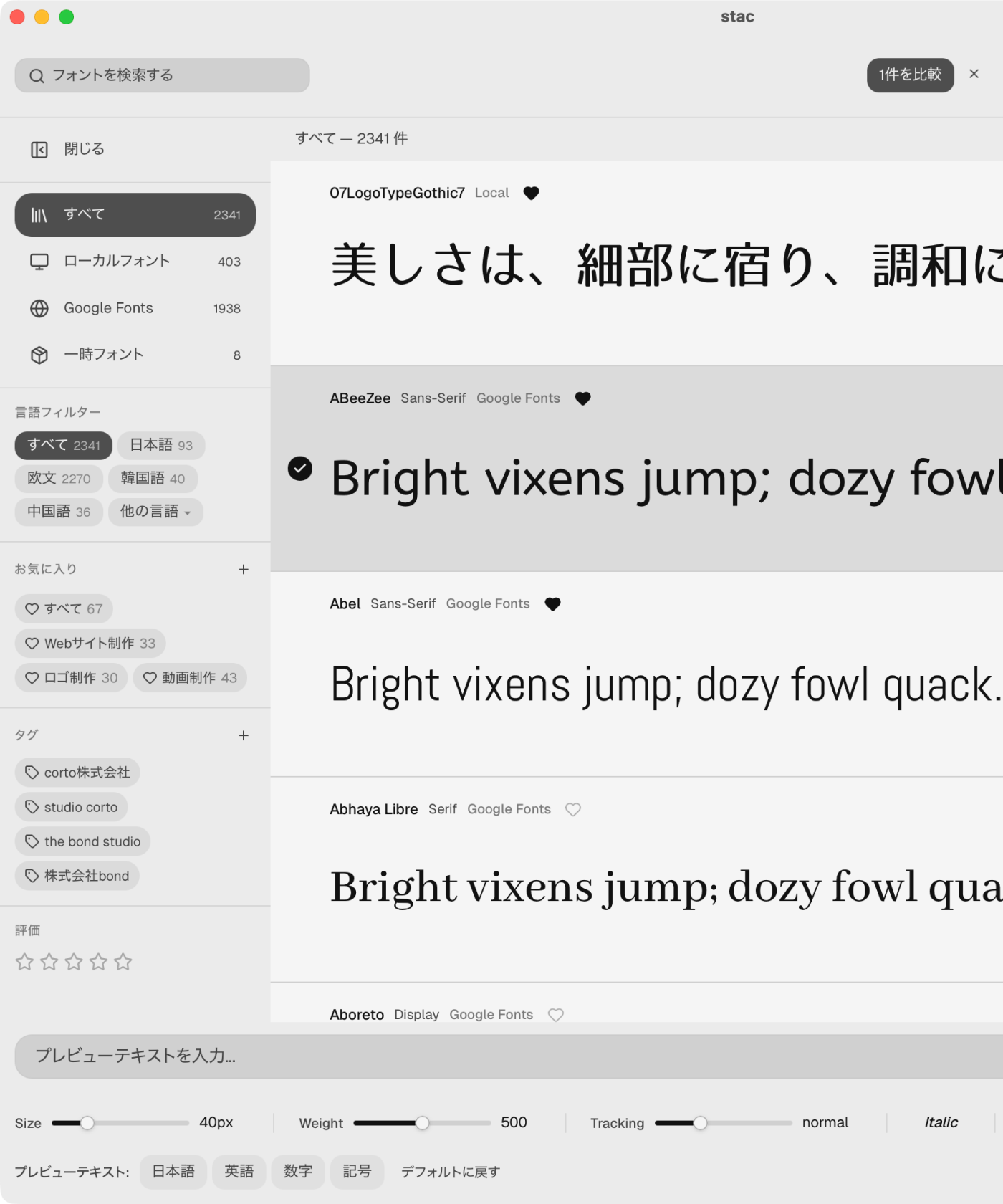
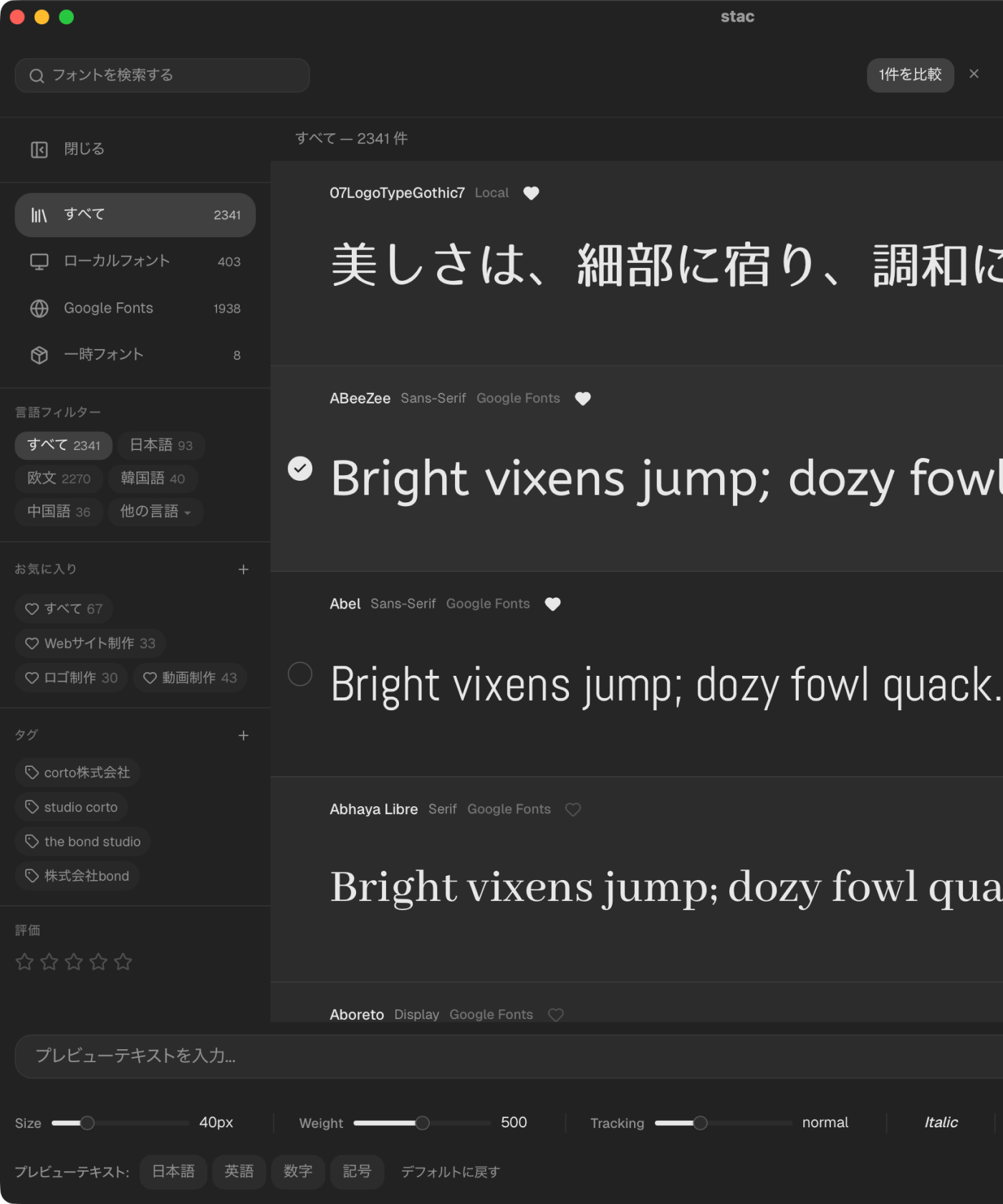
It lets you view not only the fonts already installed on your computer, but also more than 1,900 fonts available through Google Fonts, all under the same viewing conditions.
From discovering candidates to comparing and organizing them, you can finish the whole font-selection workflow in one app.
Review fonts
in one place
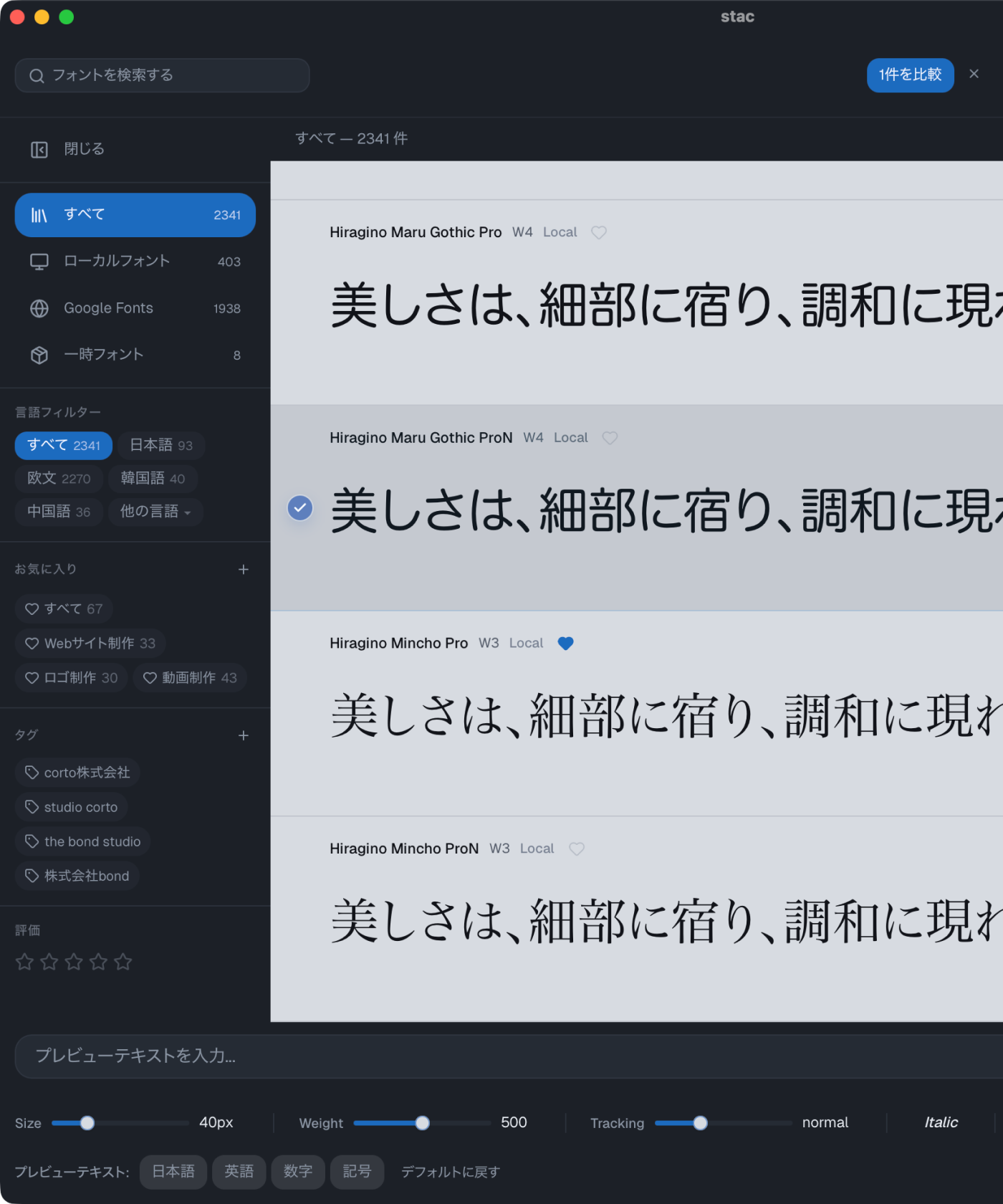
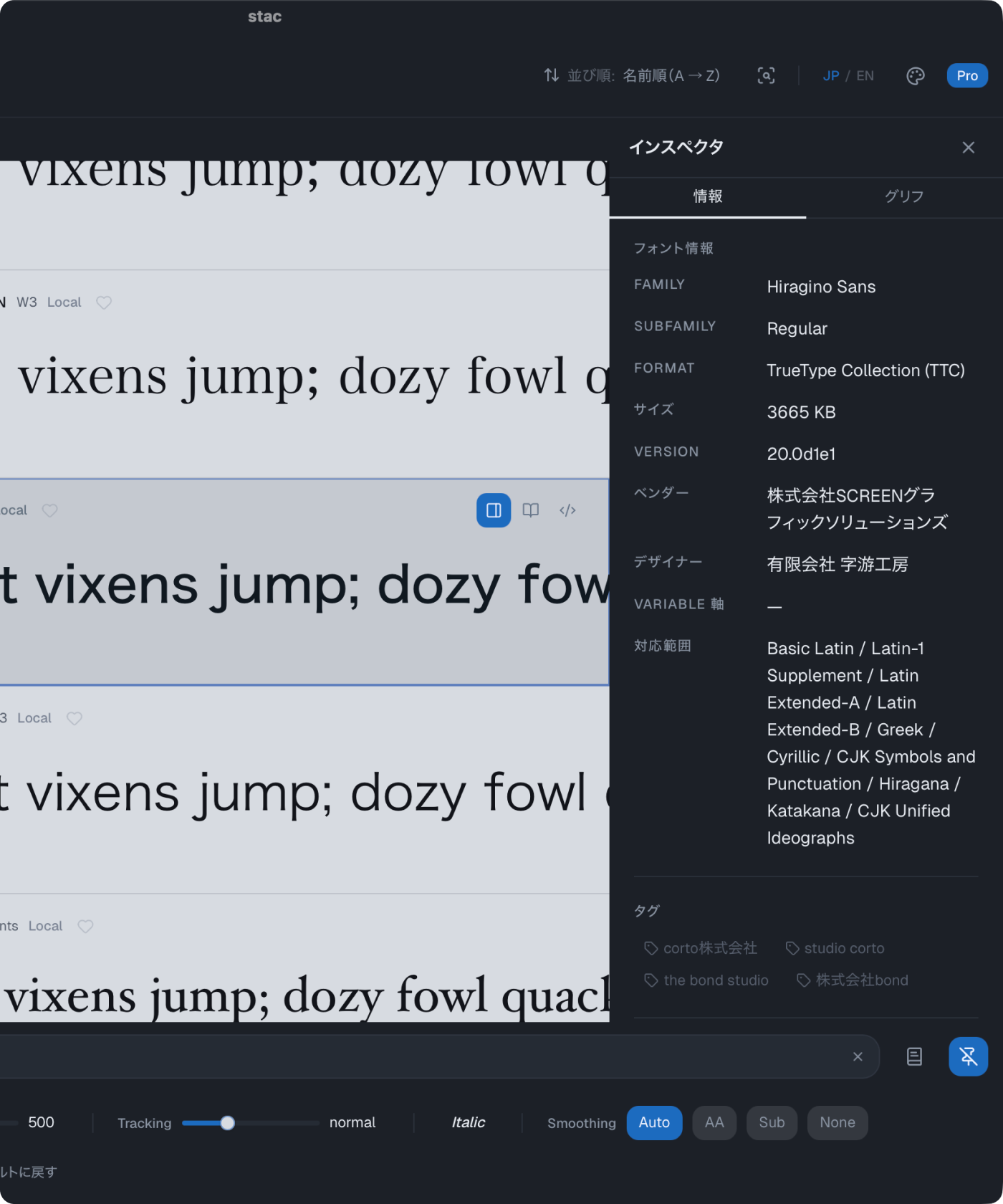
In addition to the fonts already installed on your Mac, stac includes more than 1,900 Google Fonts, so you do not need to jump between different places to look for options. It lets you handle local fonts and web font candidates on the same screen. If you also downloaded font files that caught your eye, you can keep them temporarily and include them in the same comparison flow.
Preview uninstalled
fonts too
Drag and drop a downloaded font file to compare and inspect it inside the app before installing it on your Mac.
Because stac only keeps it temporarily, you can skip the wasteful cycle of installing a font just to test it and then removing it afterward.
Compare carefully
with comparison mode
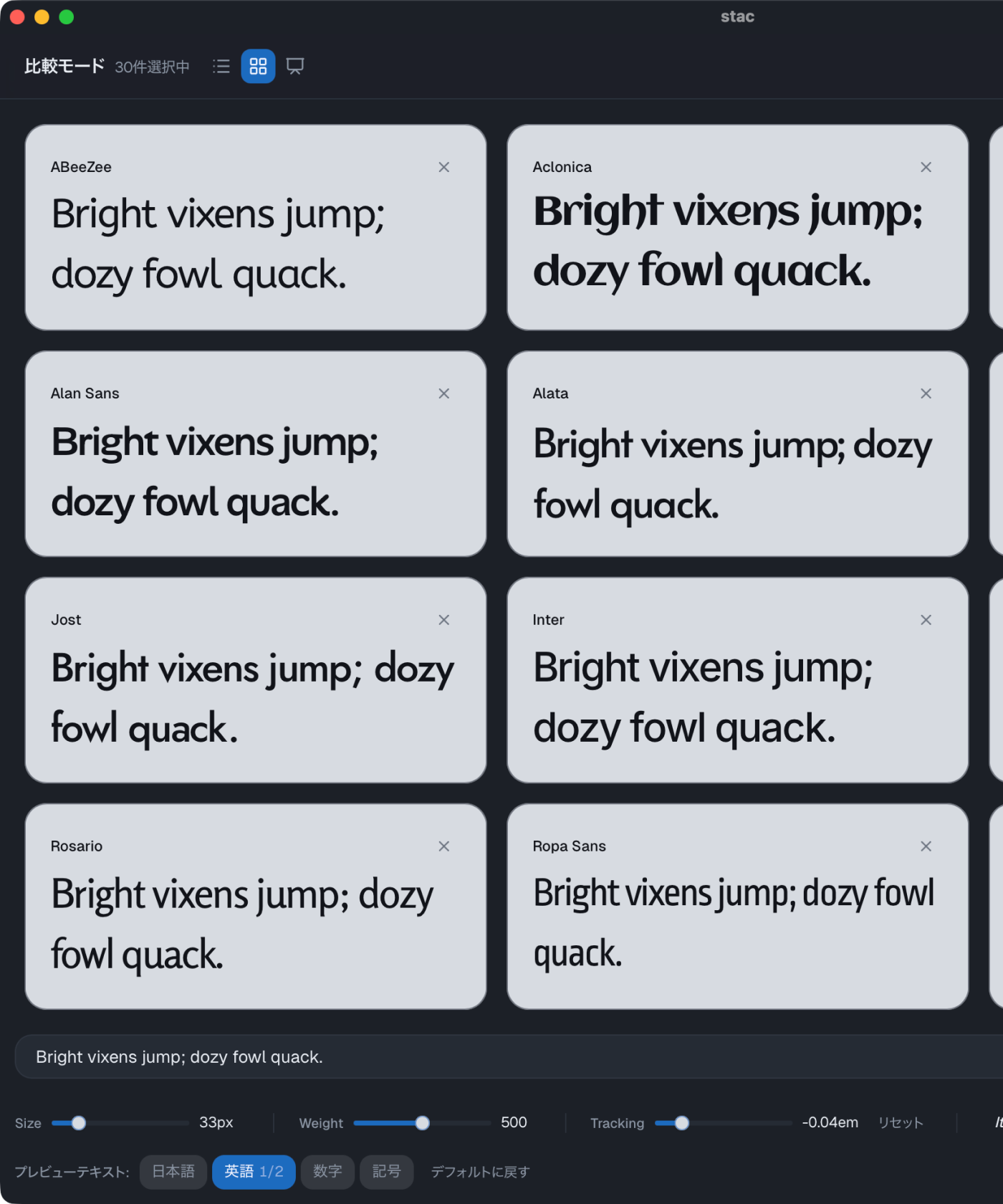
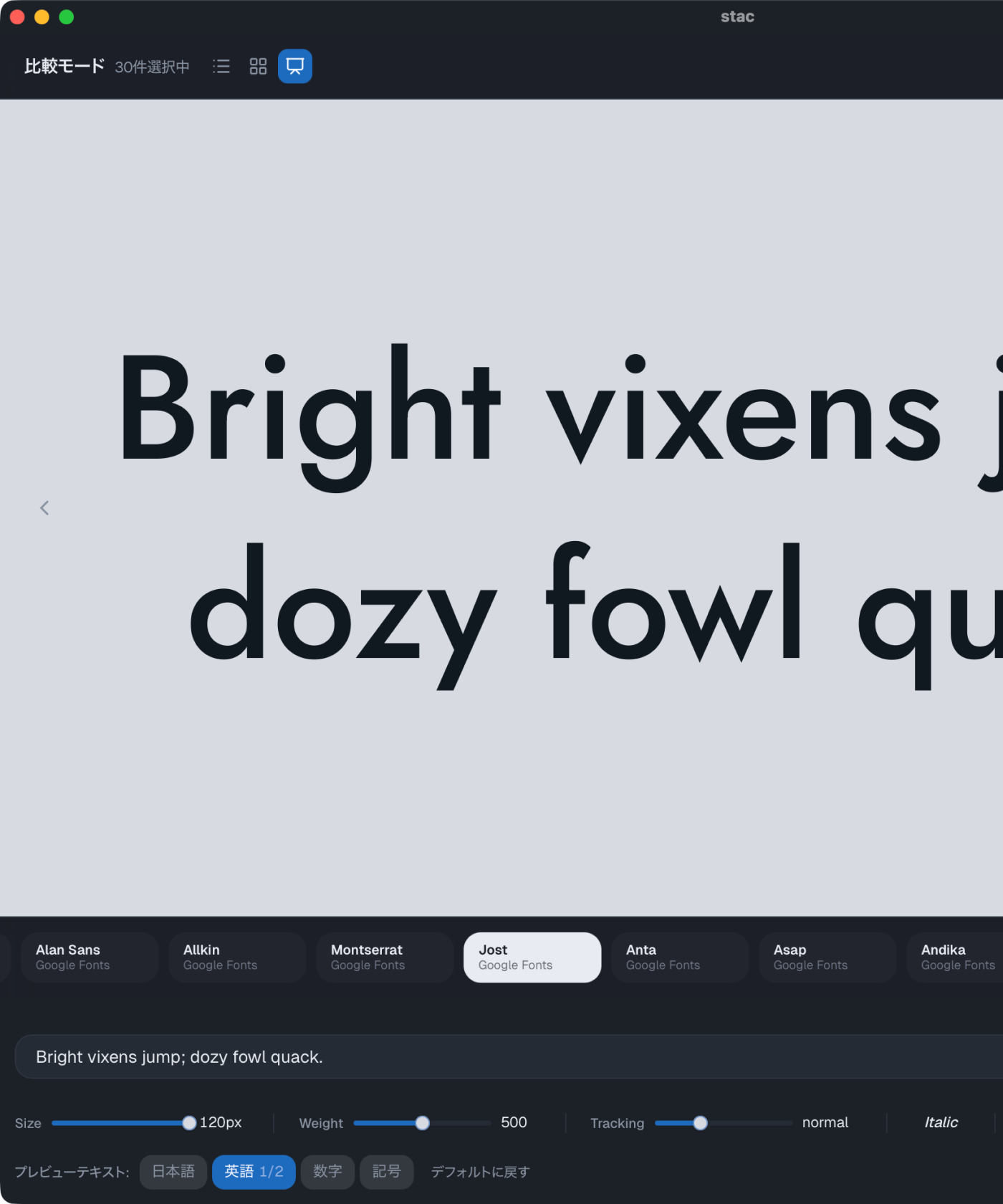
Choose from local fonts installed on your Mac, Google Fonts, and temporary fonts, then review them together in comparison mode.
That repetitive workflow of installing a font, opening Figma or Illustrator, typing sample text, duplicating it, and applying each candidate font can be replaced by simply selecting fonts inside stac.
Organize fonts
and find them fast
Save fonts you like as favorites, sort them with tags by project, and use five-level ratings when you want to separate stronger candidates from the rest.
With stac, you can keep your Mac font library organized and quickly find the fonts you want to use in your next project.
Filter by language
to narrow things down
You can narrow the list by language, such as showing only fonts that include Japanese or only fonts that include Korean.
Filtering by supported language makes it easier to find the right options for your project, and it helps you compare multiple candidates without getting lost in a long list.
Choose from multiple
color modes
To make stac comfortable for everyday use, you can choose from multiple color modes. Light mode, dark mode, and the original stac blue mode are available, and more are planned in the future.